Question Types
Understand the three question types available on BlitzGrok
In this guide
Three Question Types
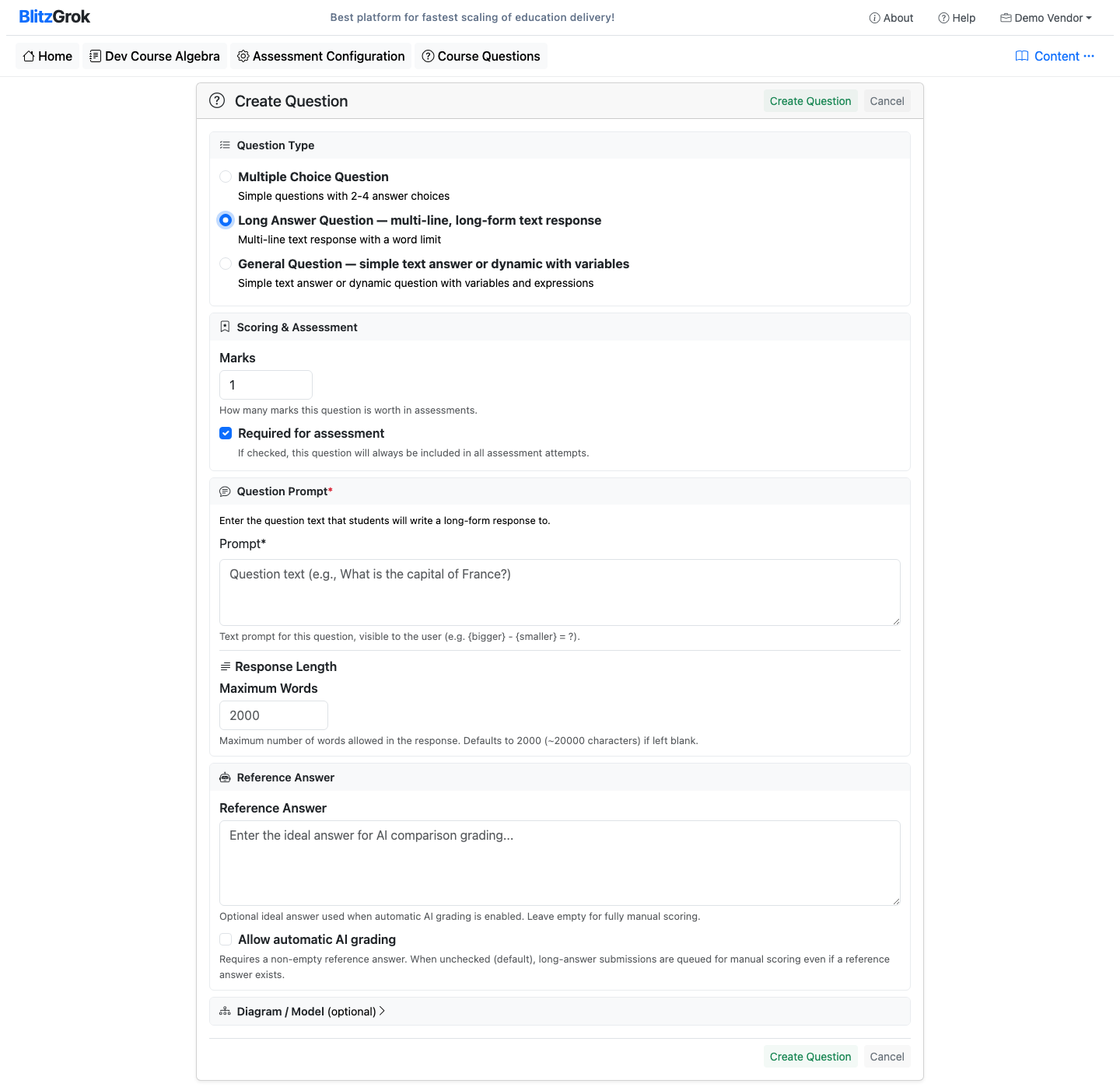
BlitzGrok supports three question types, each suited for different assessment needs. Choose the right type based on what you want to evaluate.
Multiple Choice (MCQ)
Students select from a set of predefined answer choices. Each option has an expression that evaluates to 'True' (correct) or 'False' (incorrect).
Characteristics
- Auto-graded — No manual scoring needed
- Simple creation — Define a prompt and answer choices with True/False expressions
- Marks are difficulty-based — Low=1, Medium=3, High=5
- Used in both topic practice and course assessments
When to Use
- Quick knowledge checks and concept recall
- True/False questions
- Identifying correct definitions or formulas
- Choosing the best approach from several options
Long Answer
Students respond with multi-line text in a large text area. Answers are manually graded by default, or AI-graded when you provide a reference answer and enable Allow automatic AI grading (list column: AI graded). A reference alone is not enough.
Characteristics
- Manual or AI grading — Opt in with a reference answer + Allow automatic AI grading
- Multi-line text area — Learners write detailed answers
- Configurable word limit — Set a maximum word count per answer
- Marks set per question — You control how much each question is worth
- Assessment-oriented — Typically used in assessments, can appear in practice too
When to Use
- Essay-style questions requiring detailed explanation
- Critical thinking and analysis
- Problem-solving walkthroughs
- Open-ended responses where multiple valid approaches exist
General Questions
The most flexible question type. General questions use variables and expressions to generate unique instances each time. The answer is evaluated as a Python expression in the context of the generated variables.
Characteristics
- Dynamic generation — Variables produce unique numbers/scenarios each attempt
- Auto-graded — Correct answer expression is evaluated against the learner's input
- Single-line input — Learners type numeric values or short text
- Supports constraints — Filter out invalid variable combinations
- Marks set per question — Configurable per question for assessments
When to Use
- Math and calculation problems
- Fill-in-the-blank with variable values
- Numeric answers that change per attempt
- Short-answer questions with a computable correct answer
- Any scenario where you want infinite practice variations
Fill-in-the-Blank with General Questions
Fill-in-the-blank questions are created using the General Question type.
Use string literals like 'Paris' or '1789' as the answer expression for fixed-answer questions,
or use the choice() function with a dictionary lookup to cycle through a pool of items dynamically.
Auto-Graded Essays with Long Answer
For essay-style responses, use the Long Answer type with a reference answer and Allow automatic AI grading checked. AI compares learner text to your ideal answer for practice feedback and assessment scoring.
Full Auto-Graded Essay GuideChoosing the Right Type
Pick MCQ when:
- You have clear right/wrong answers
- You want instant auto-grading
- Questions test recall or identification
- You want difficulty-based marks
Pick Long Answer when:
- Answers require detailed explanation
- Multiple valid approaches exist
- You're willing to manually grade
- Critical thinking is the goal
Pick General when:
- Answers are computable
- You want variable-based generation
- Learners need unlimited practice
- Problems have numeric/text answers
Quick Reference
Questions about question types?
We're here to help