Assessment Configuration
Set up graded assessments with flexible question selection, scoring, and certification
In this guide
What is an Assessment?
An assessment is a graded evaluation tied to a course. It lets you test learners on their understanding using a mix of question types. Each course can have one assessment configuration, which controls how questions are selected, how the assessment is scored, and whether learners earn certificates on passing.
Assessment Modes
Quiz Mode
Multiple-choice and auto-scored questions with a time limit.
- Knowledge checks and concept recall
- Automated grading with instant results
- Timed evaluations with a set duration
Essay Mode
Long-form responses. Written answers are graded by AI only when a reference answer and Allow automatic AI grading are both set; otherwise they need manual scoring.
- In-depth analysis and critical thinking
- Open-ended questions requiring detailed answers
- AI grading when opted in; otherwise manual scoring with instructor feedback
Course Questions
Course questions are created directly at the course level, separate from topic-level practice questions.
You can mark specific course questions as required. Required questions are always included in every assessment attempt — they are never skipped during random sampling. Course questions can be any of the three question types: Multiple Choice, Long Answer, or General.
Question Sources
An assessment draws questions from three sources. You control how many questions of each type are included.
Topic Practice Questions
Questions from topics within this course, sampled by difficulty.
AI MCQs
Multiple-choice questions generated by AI into a reusable course pool. Each is worth configurable marks (default 2).
Each attempt samples from the managed pool.
Course Questions
Questions created at the course level for assessments only — never used for practice.
Includes required questions and auto-sampled MCQs by difficulty.
Adding Course Questions
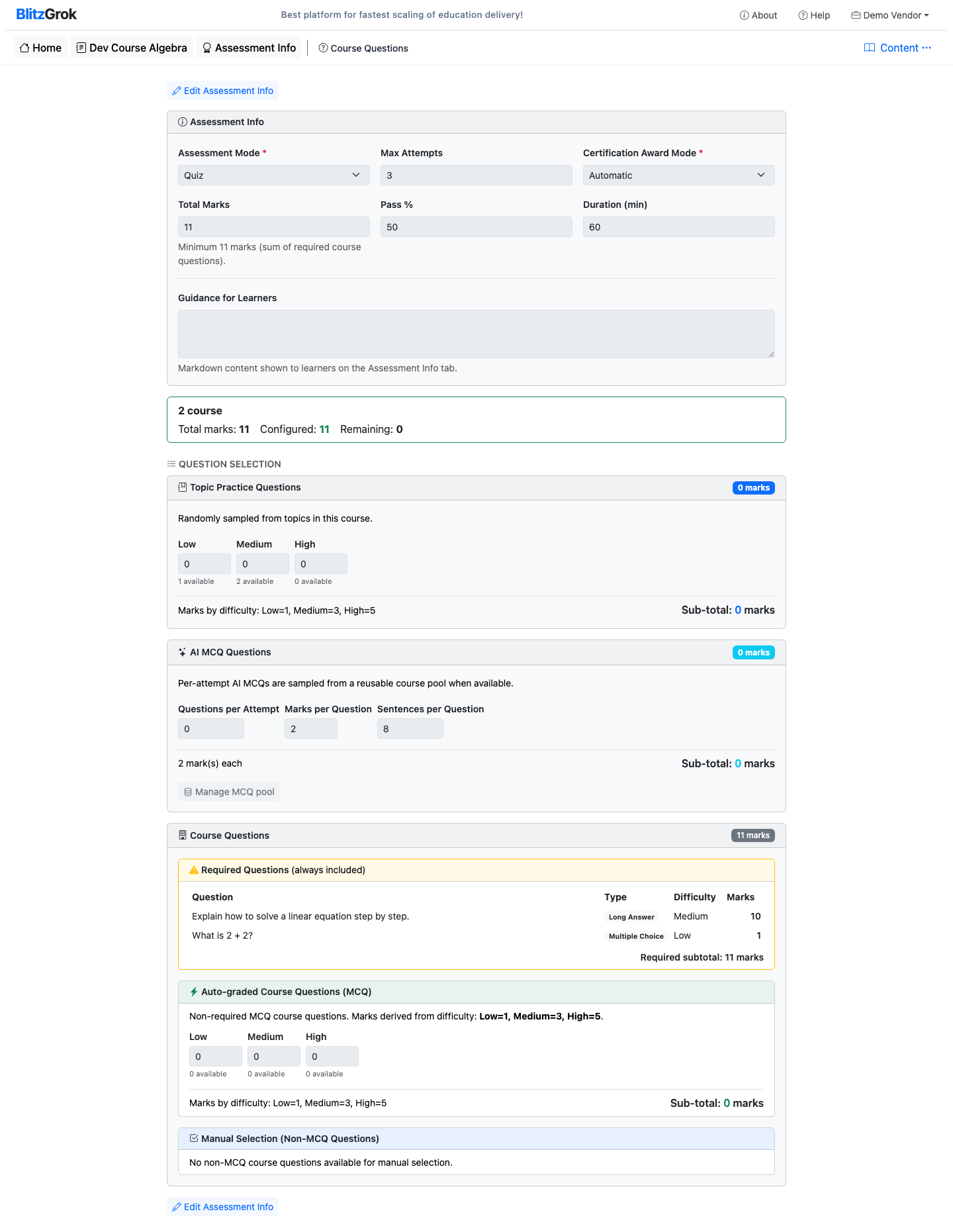
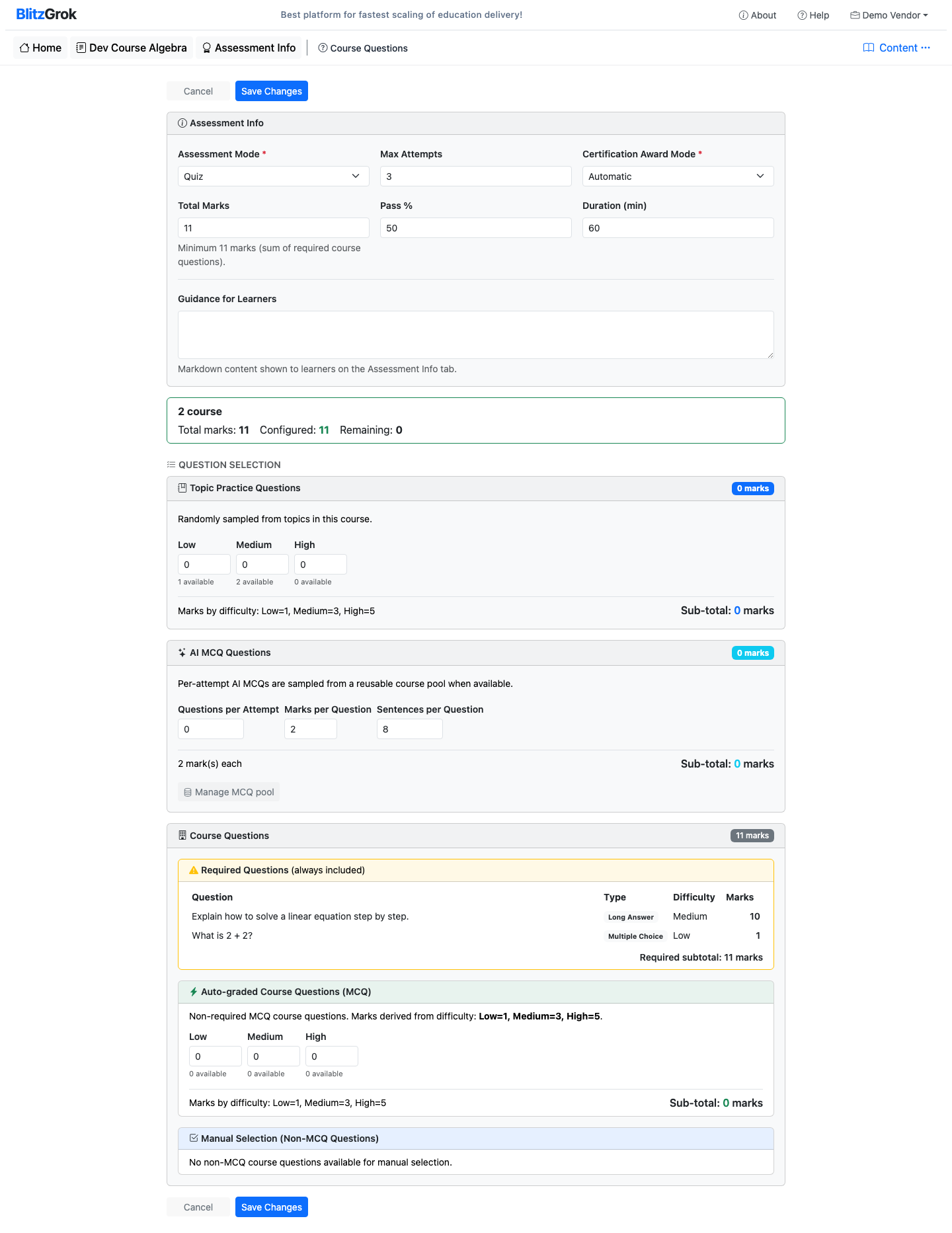
- Open Assessment Info. The settings appear first, followed by the live Total Summary.
- Configure the three standalone selection cards: Topic Practice Questions, AI MCQ Questions, and Course Questions.
- Use Manage MCQ pool in the AI MCQ Questions card to open Course Questions → AI generated MCQs.
- Use Educator created MCQs for course-level and topic questions, or Long Answer for written-response questions.
- Click Add Course Question to create one. Course questions can be marked Required for assessment.
Course Questions tabs
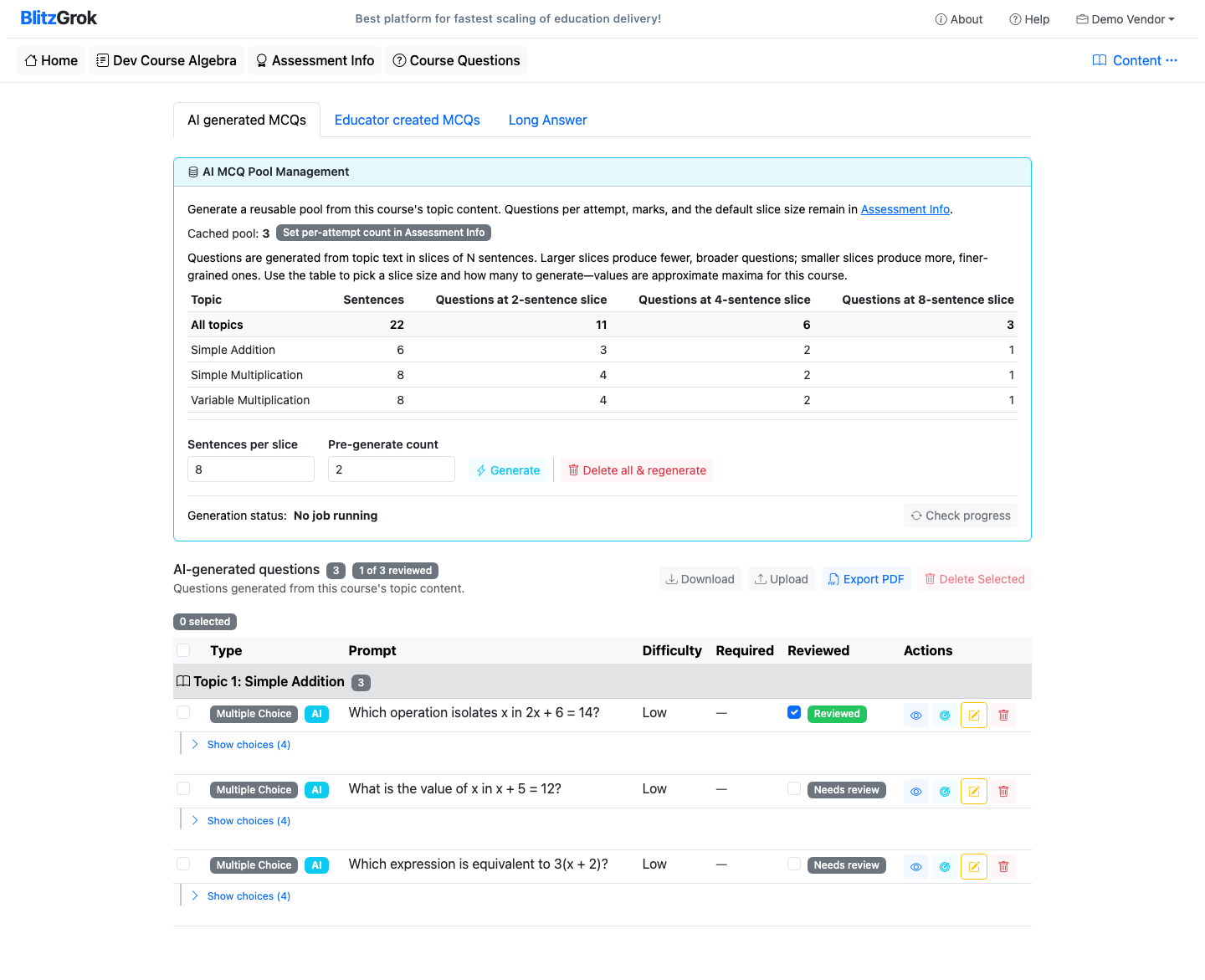
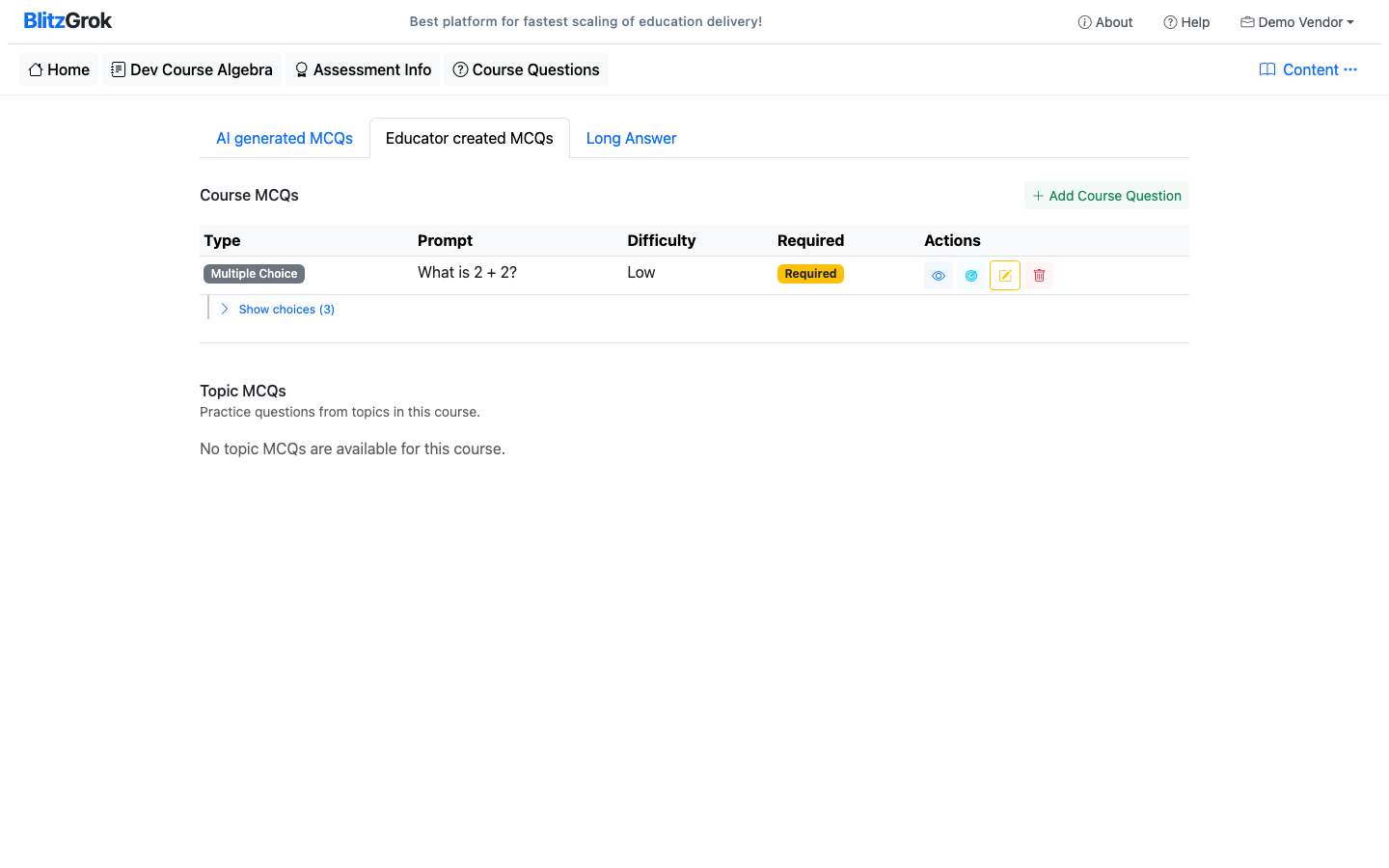
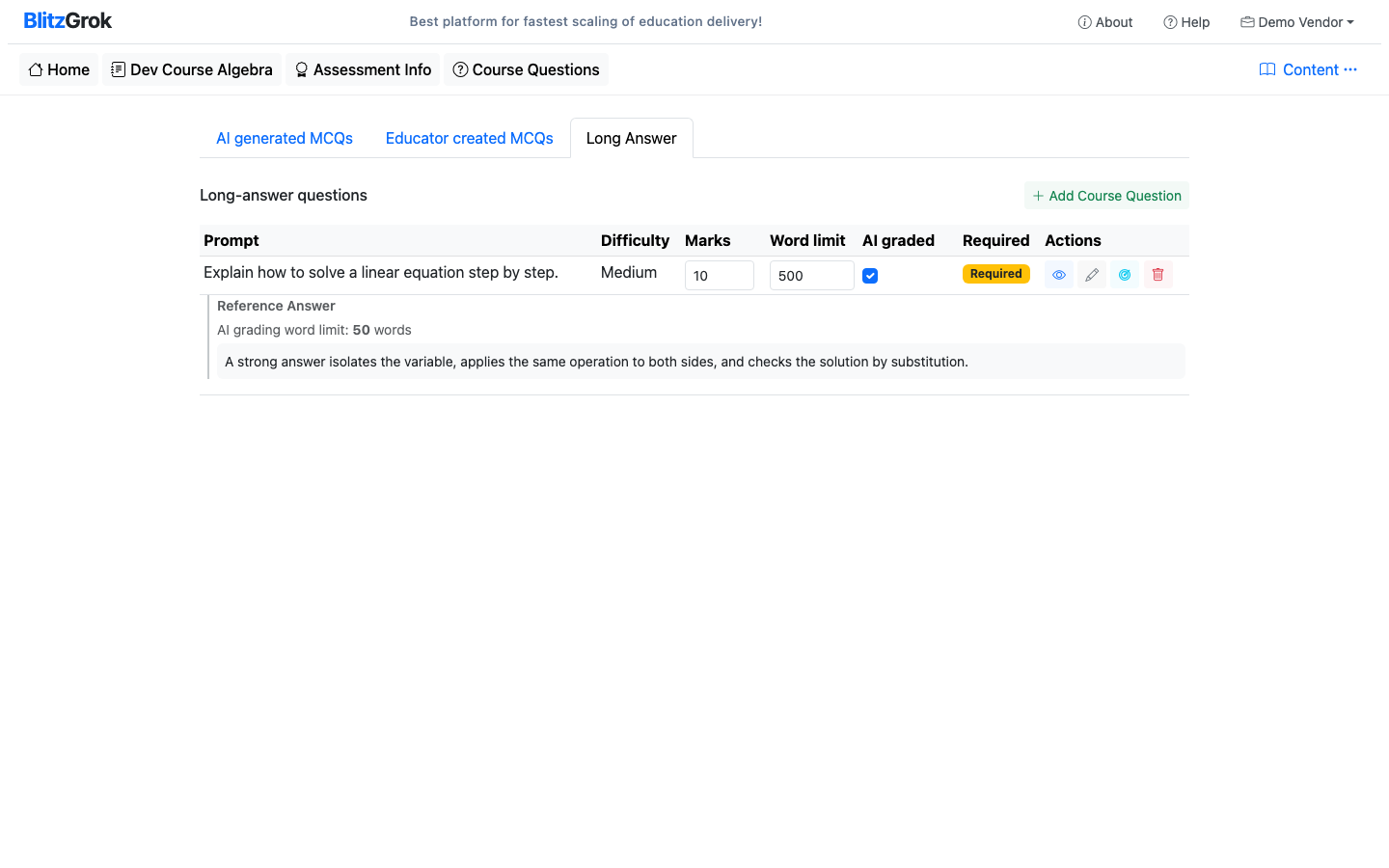
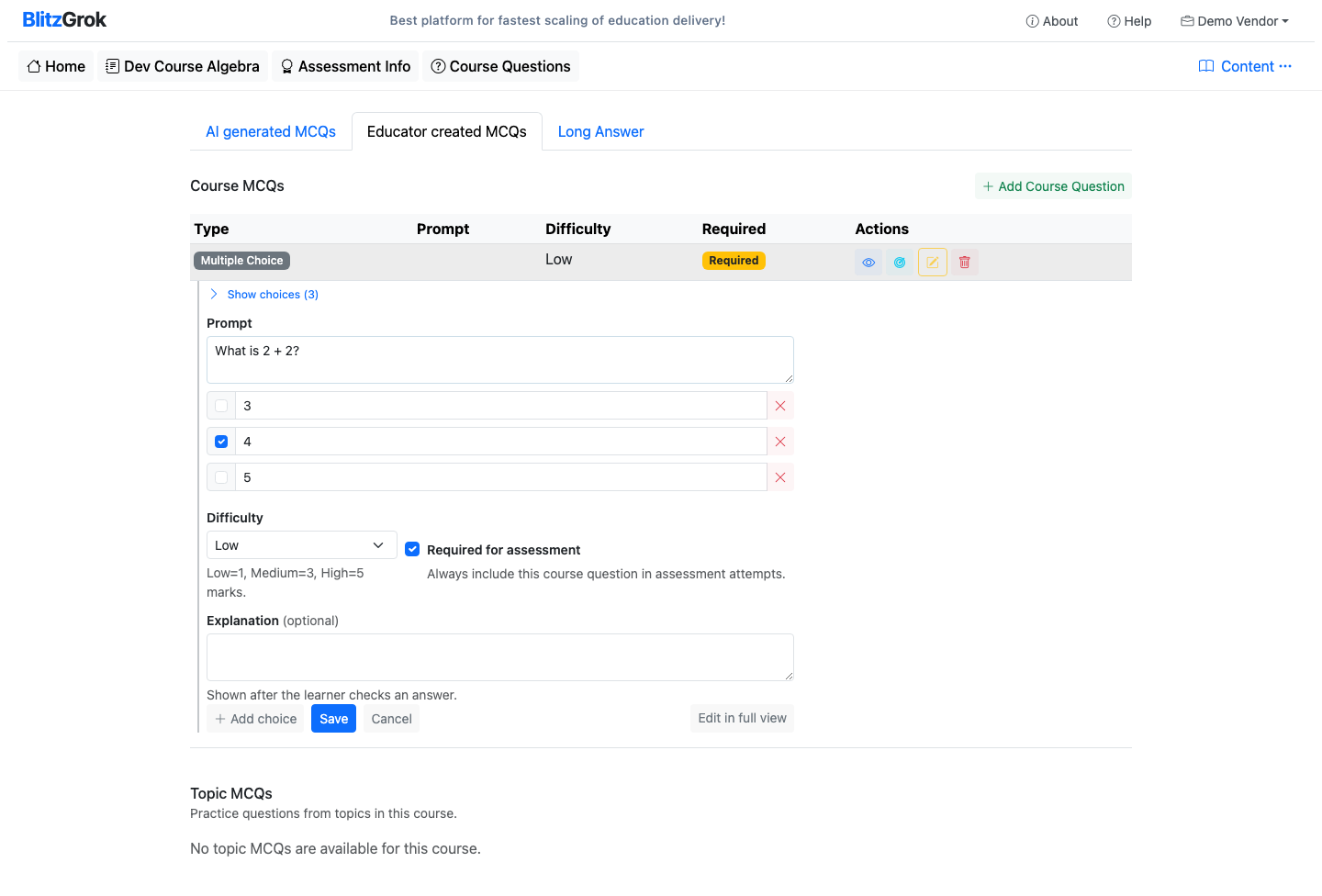
MCQ lists use the same compact editor as the full edit page: prompt, choices and correct answer, difficulty, Required for assessment where applicable, and explanation. Use Edit in place from a list; while editing, Edit in full view opens the full page. Topic groups are labelled Lecture/Topic N: Name.
Configuring Your Assessment
Set Assessment Mode and Scoring
- Assessment Mode: Quiz (timed, auto-scored) or Essay (written responses; AI or manual per question settings)
- Certification Award Mode: Automatic (certificate awarded by pass percentage when scoring finishes) or Manual (you award the certificate — separate from manually scoring written answers)
- Total Marks: The maximum marks for the assessment
- Pass Percentage: Minimum score (0–100) required to pass (automatic mode)
- Duration: Time limit in minutes (quiz) or character length (essay)
Configure Topic Practice Questions
Set how many questions of each difficulty level to sample from the course's topic pool.
| Difficulty | Marks per Question | Description |
|---|---|---|
| Low | 1 | Simple recall and basic application |
| Medium | 3 | Understanding and moderate application |
| High | 5 | Analysis, synthesis, and complex problems |
Questions are randomly sampled from available questions at each level.
Configure AI MCQs
Specify how many AI-generated questions to include per attempt and their marks. Open Manage MCQ pool to generate and maintain the reusable pool.
- The capacity table starts with All topics and estimates questions from 2-, 4-, and 8-sentence slices. Generation defaults to 8 sentences per slice.
- Generate, check progress, or delete all and regenerate from the AI generated MCQs tab.
- Download JSON for backup or transfer. Upload with Merge to add questions; Replace permanently clears the current AI pool first.
- Reviewed is tracking only. It does not change which questions can be selected for an assessment.
- Use Export PDF or batch-select questions for deletion from the list action bar.
Configure Course Questions
Course questions have three components in the assessment:
- Required Questions — Always included in every attempt, shown in a highlighted section
- Auto-graded MCQ — Non-required MCQs sampled by difficulty (Low/Medium/High)
- Manual Selection — Non-MCQ questions (General, Long Answer) individually selected with marks set per question
Add Assessment Guidance
Write instructions or context shown to learners before they begin the assessment. Supports Markdown formatting. Use this to set expectations, provide rules, or offer tips.
Question Selection Modes
The assessment supports two ways to choose questions.
Auto-Sample
Questions are randomly drawn from the configured pools based on difficulty and type counts. Each attempt gets a different set (except required questions). Ensures fair and varied assessments.
Manual Selection
Hand-pick exactly which questions appear in the assessment. Every learner gets the same set. Useful when you need complete control over the assessment content.
How Marks Work
The configuration UI shows a real-time marks summary as you adjust counts.
- Total Marks: The target maximum you set for the assessment
- Configured Marks: The sum of all selected question marks
- Remaining Marks: The gap between total and configured (should reach zero)
Marks by question source
- Topic practice & course MCQ: derived from difficulty (Low=1, Medium=3, High=5)
- AI MCQ: configurable marks per question (default 2)
- Course non-MCQ (General, Long Answer): marks set individually per question
Questions about assessment configuration?
We're here to help