Course Workflow
Create a course, build its structure, set purchase options, and publish
In this guide
How courses work
A course is the unit students practice through. Inside a course you'll build modules, then topics, then add questions. Once you've set pricing (if needed), you can publish the course.
Choose Your Course Structure
Every course organizes content into topics with practice questions. Pick the level of grouping that fits your subject.
Modules & Topics
Course → Module → Topic → Question
Group topics into modules for a structured, sequential learning path.
- Best for: Multi-unit subjects, scaffolded curricula
- Example: Algebra with modules like "Equations" and "Graphing"
- Learner experience: Progress through modules in order
Topics Only
Course → Topic → Question
Add topics directly to a course without the module layer — simpler and faster.
- Best for: Shorter courses, focused skill practice
- Example: Vocabulary Building with topics directly under the course
- Learner experience: Jump straight into topics
Step-by-Step Guide
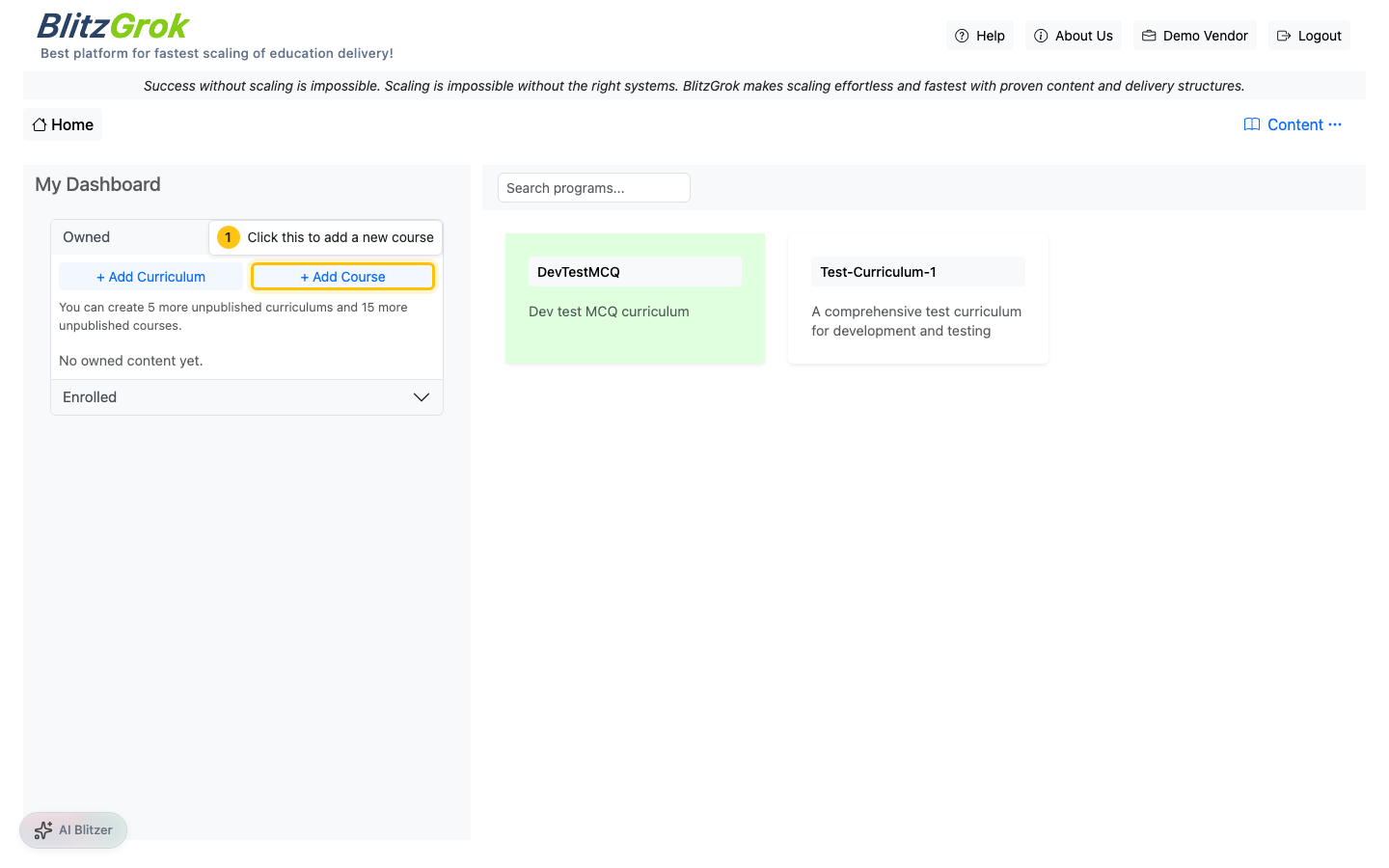
Create the Course
From your Instructor panel, start a new course.
- Click "Add Course" from the courses page
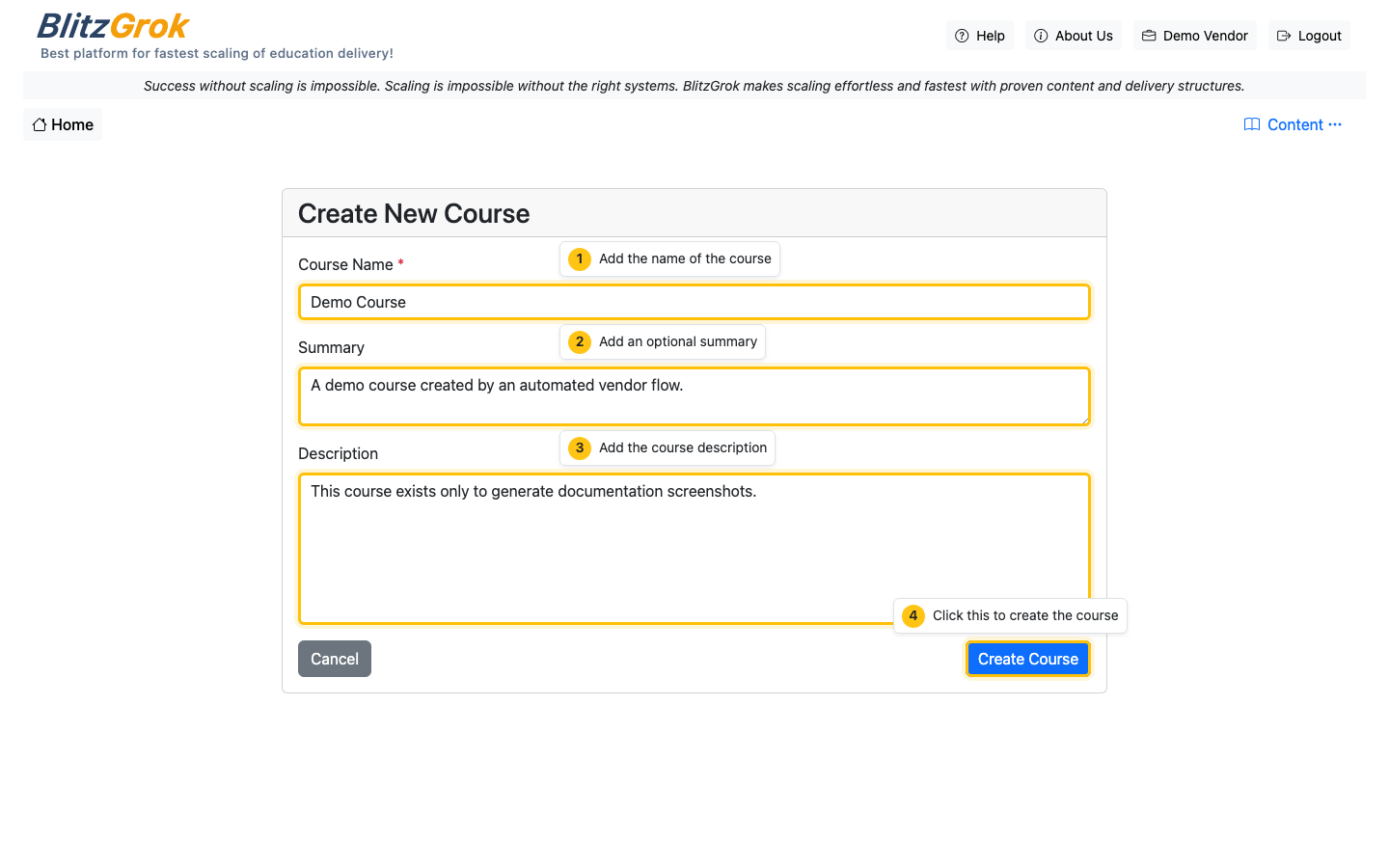
- Fill out the course name (required) and summary/description (recommended)
- Click Create Course
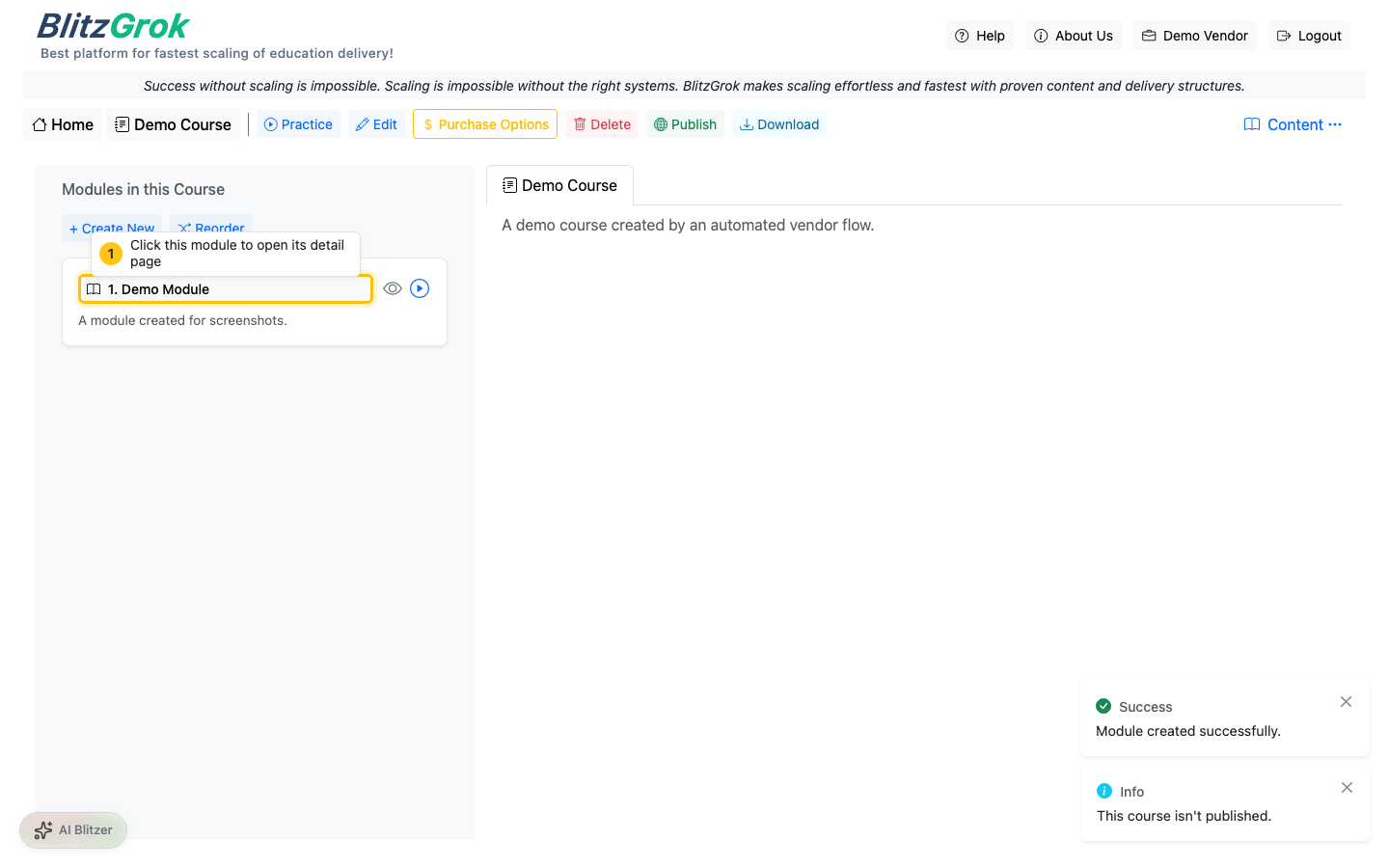
Add Modules
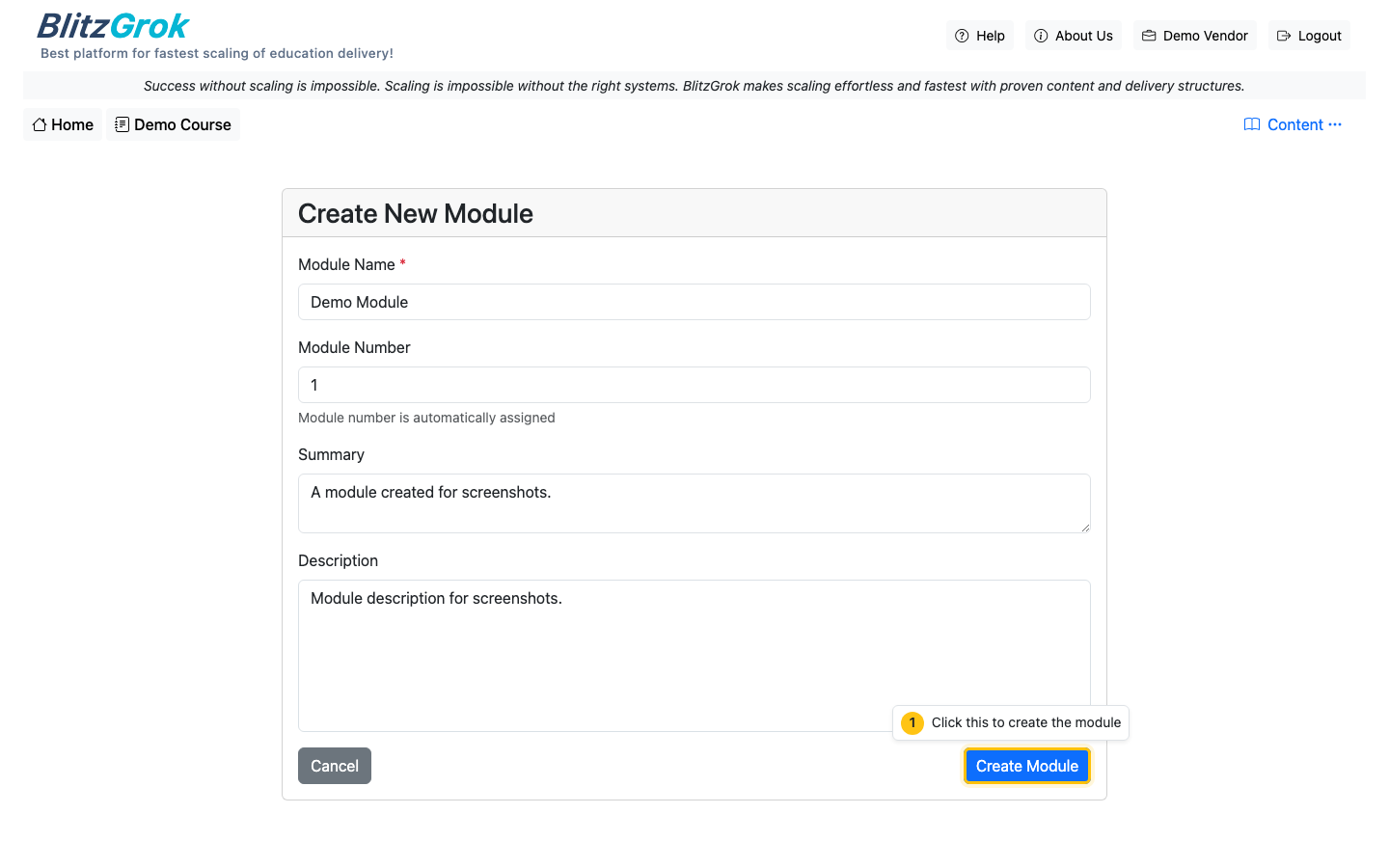
Modules break your course into focused learning steps.
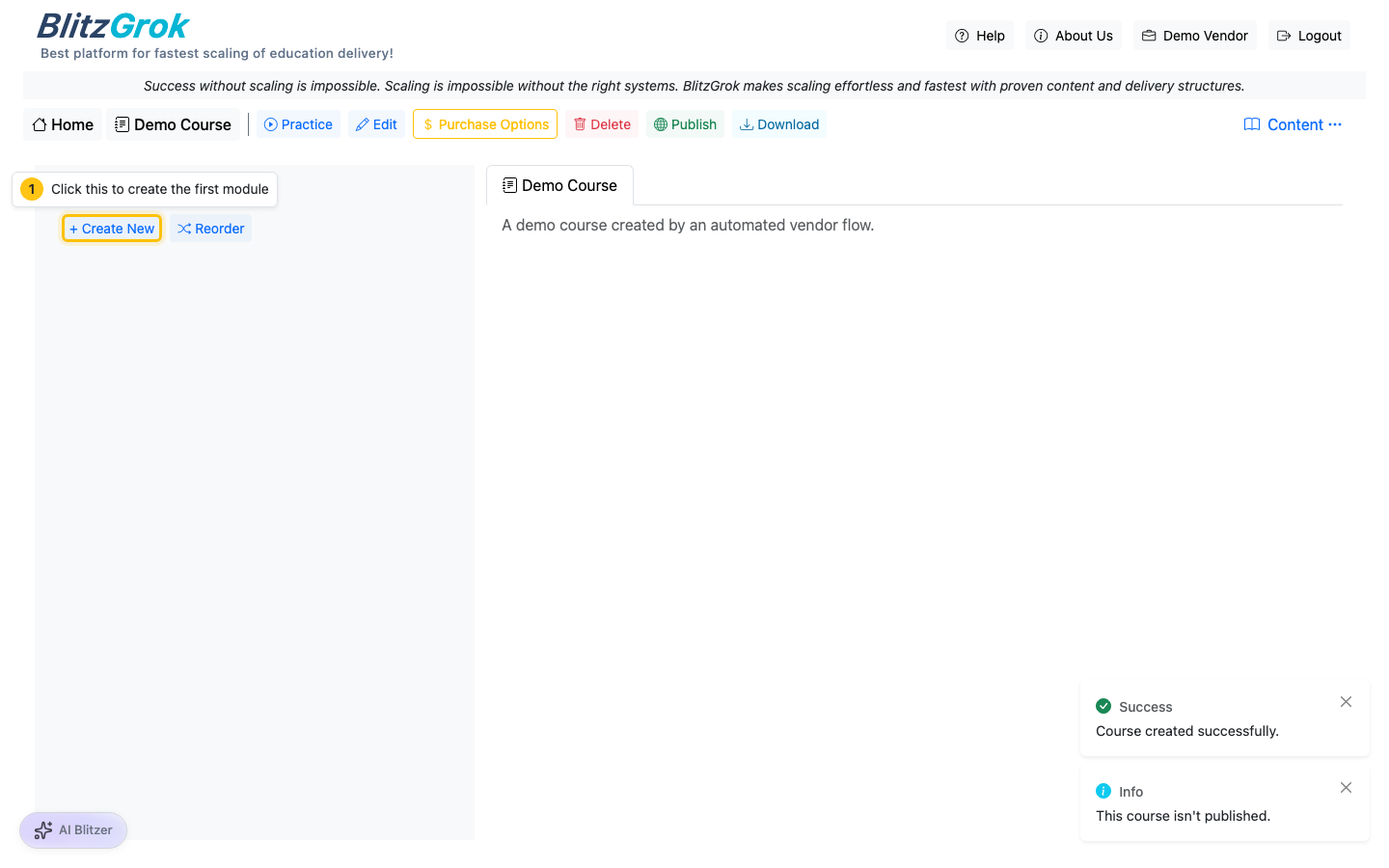
- Open your course
- Use "Add Module"
- Keep modules small and ordered (students move sequentially)
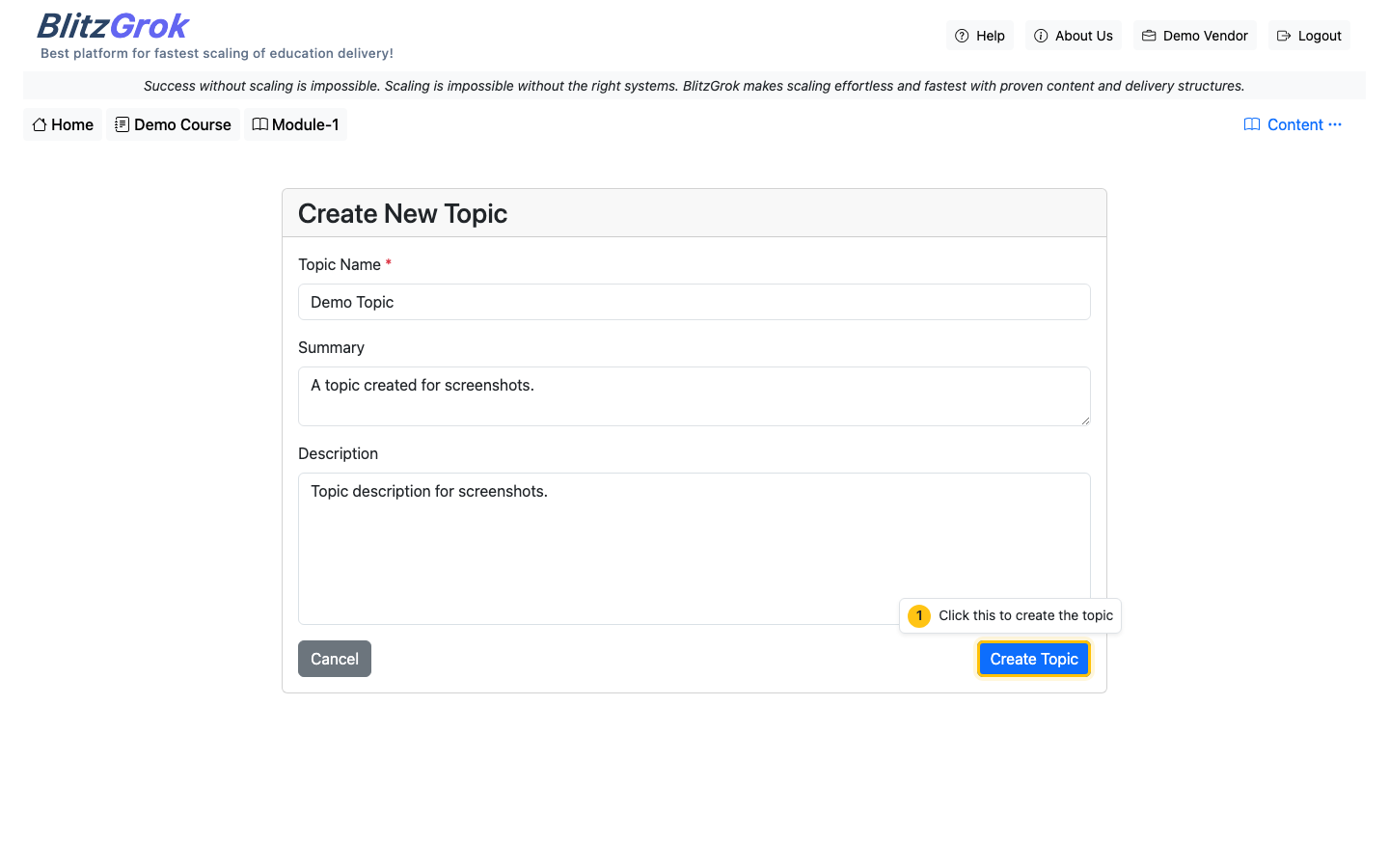
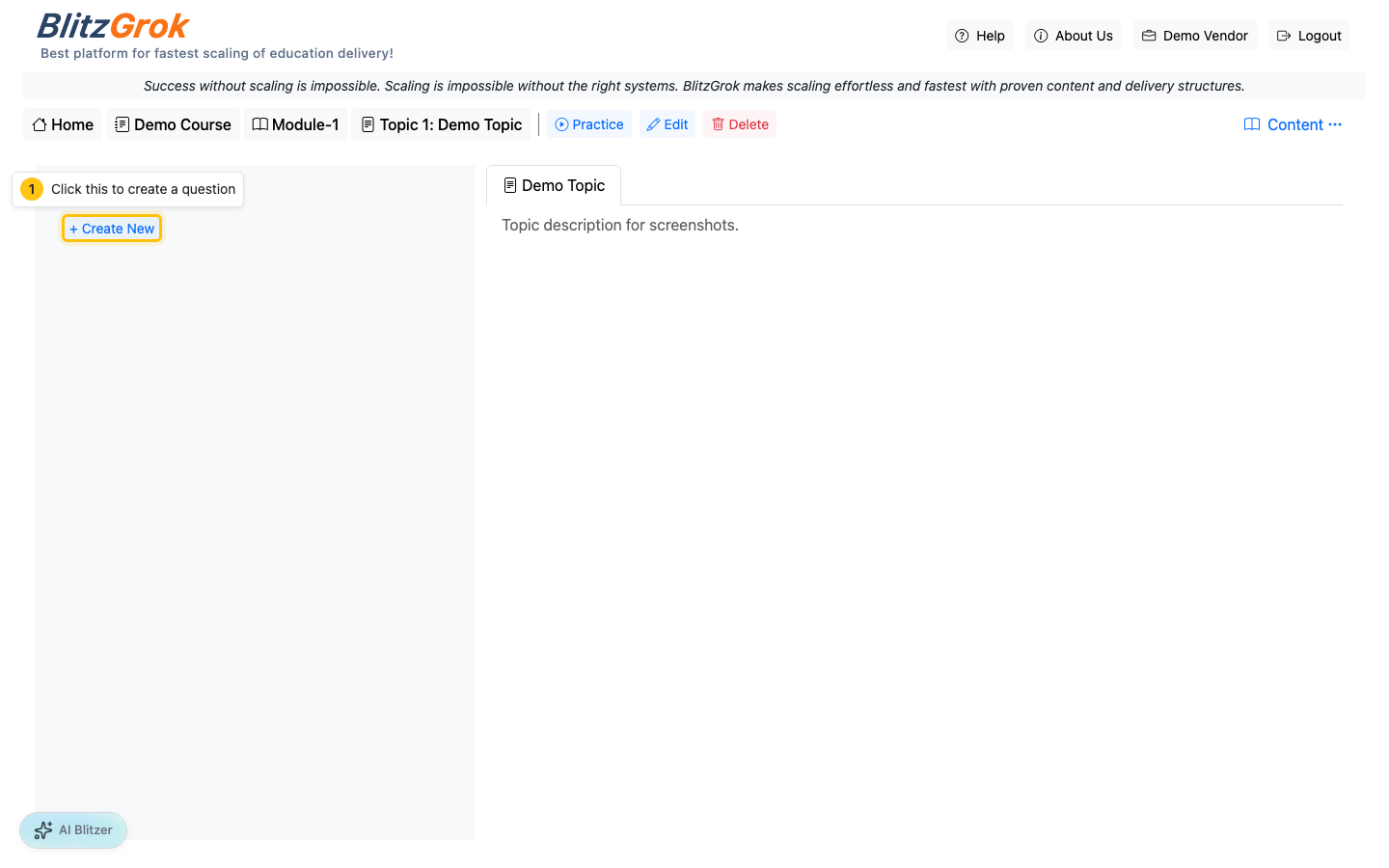
Add Topics (Inside Modules)
Topics are the practice units — each topic should cover one concept.
- Open a module
- Use "Add Topic"
- Keep topics narrow; prefer more small topics over fewer broad ones
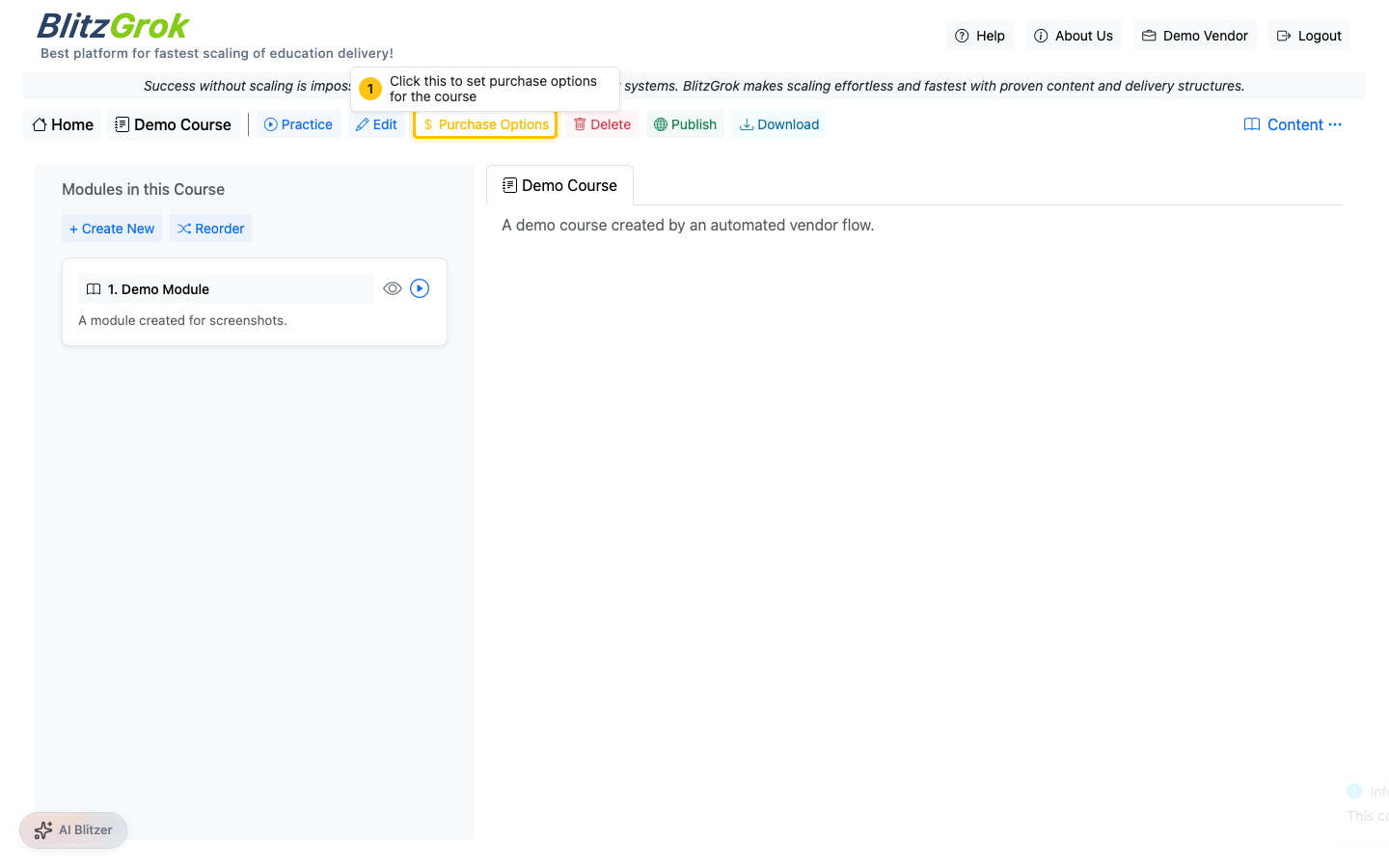
Set Purchase Options, Then Publish
When your course is ready, configure pricing (if needed) and then publish. Publishing is the final step — once published, students can discover and enroll.
- Open the course page
- Click Purchase Options to set pricing, then Save Purchase Options
- Click Publish to make the course available

Questions about building courses?
We're here to help